Newman's Gaming Newport PC Gaming
Premium systems ยท Newport workshop

Built for 4K, VR and the full simulation rig.

A demanding display changes the whole build. We plan graphics memory, display connections and cooling around how you actually play, then check the machine for long sessions before it leaves our Newport workshop.

Consistency matters. Especially in VR.

What will you connect?

A 4K high-refresh panel needs ample graphics memory and a clear plan for the refresh rate you want to sustain in your games.

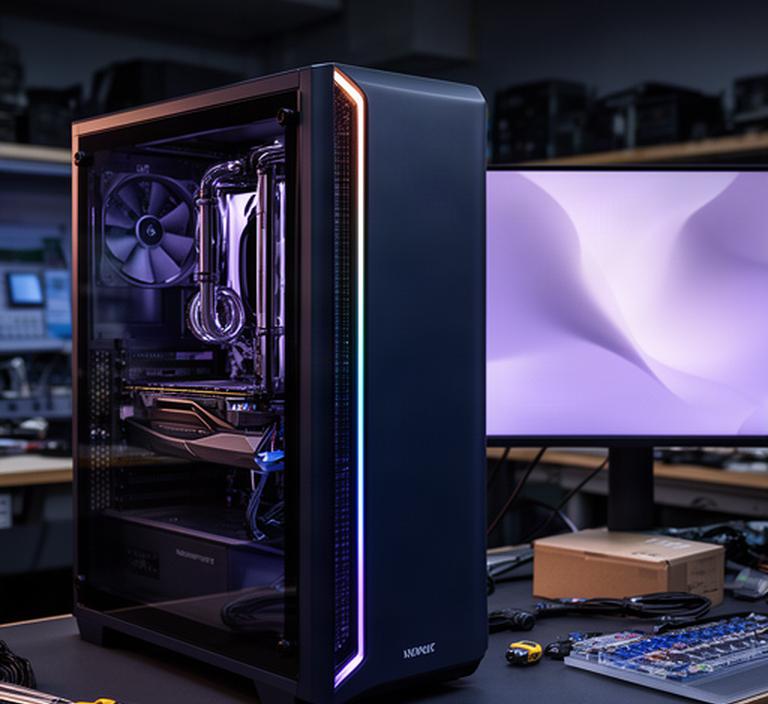
Premium gaming tower beside a 4K display in a dim Newport workshop, with cooling hardware visible through the case
Specified around your screensDisplay output, sustained load and room for your next upgrade.
4K AAA gaming

Steady frame times beat a headline number.

Open-world games and detailed RPGs can swing from quiet scenes to demanding crowds in seconds. At 4K, high-resolution textures also put real pressure on graphics memory. We balance the processor and graphics card for the games you play, rather than choosing parts around one short benchmark.

Every scene counts.

4K performance

High-detail 4K build

For AAA games with detailed textures and a preference for high image quality. Final graphics settings depend on the title and display refresh target.

  • GraphicsHigh-tier GPU, memory matched to resolution
  • ProcessorBalanced for dense game scenes
  • MemoryCapacity chosen for your games and apps
  • StorageFast NVMe, sized for your library
What we check before finalising

We review the games you play, target refresh rate, graphics settings and the display's connection requirements. Upscaling can help render a demanding scene at a lower internal resolution, then reconstruct a sharp output; it is a setting choice, not a substitute for balanced hardware.

4K high refresh

Higher-refresh 4K build

For buyers who want a responsive feel on a fast 4K panel. We set expectations per game and leave thermal and power capacity for extended play.

  • GraphicsTop-tier class, planned for sustained load
  • ProcessorSelected for frame pacing and game engine
  • PowerQuality unit with suitable load headroom
  • CoolingAir or liquid, matched to the case
Why the balance matters

Average frame rate can hide brief stalls. We consider frame-time consistency, processor limits in busy areas and the graphics card's response to changing load. Tell us the panel model and the games that matter most.

Upscaling and frame-generation options vary by game and graphics hardware. We can explain the trade-offs against native rendering before you settle on a specification.
VR-ready gaming PC

Keep the headset experience consistent.

VR is less forgiving of dropped frames than a flat screen. A suitable build has to hold its pace under load, connect to the headset correctly and leave enough room for the rest of your setup.

Frame delivery comes first.

  • Sustained frame delivery

    We match graphics and processor capacity to your headset, refresh target and chosen titles.

  • Ports and connection route

    Headset requirements differ. We check the connection type and available outputs against the model you own.

  • Room for busy simulations

    VR racing and flight titles can load the processor and memory heavily when scenes fill with objects.

  • Practical cable placement

    Tell us where the tower will sit. We can plan front access, cable reach and airflow around your room.

Sim racing and flight simulation

Build for the whole cockpit.

Simulation workloads can lean hard on processor speed and memory, especially around busy grids, detailed scenery and complex physics. The graphics card still matters. So does the wheel, pedal set or flight hardware attached to it.

Long sessions need thought.

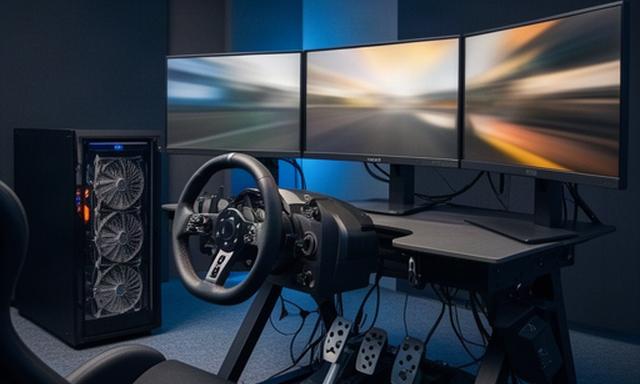
PC gaming station set up beside a racing wheel, pedals and three simulation displays in a dedicated room
Race grids and track detail

Processor choice and memory capacity should reflect field size, track detail and your usual settings.

Sim racing PC
Flight scenery and add-ons

Large scenery libraries need storage planning. Add-ons and complex areas can change processor and memory demands.

Flight simulator PC
Multiple displays and inputs

We account for display outputs alongside wheel, pedals, button boxes, flight sticks and head tracking.

Rig integration
Hours under sustained load

Case airflow and fan behaviour matter when the PC is mounted close to a seat or rig.

Thermal planning
Triple-monitor and ultra-wide

Count the pixels before choosing the GPU.

Three screens increase the total image area the graphics card must drive. Three 1440p displays demand far more rendering work than a single 1440p panel. We check resolution, refresh rate, port count and cable routing together.

Connections are part of the build.

One display
Ultra-wide panelCheck its resolution, refresh rate and connector standard.
Three outputs
Triple 1440pPlan total pixel load, available ports and the target frame rate.
High refresh
4K high refreshMatch graphics capacity to the games and refresh target.
Output countConfirm the graphics card has the right number and type of outputs for the displays you plan to use at once.
Resolution totalShare each monitor's resolution and refresh rate. The combined rendering load helps set a realistic graphics specification.
Desk and cablingMeasure the rig and tower position. We can plan cable reach, airflow clearance and access to the connections you use.
Triple 1440p goalWe review the games, visual settings and frame-rate target before recommending a build. No single component name tells the whole story.
Cooling and power headroom

Specify for the hours after the benchmark.

A short test doesn't show how a PC behaves deep into a long session. We consider sustained temperatures, case airflow and the power supply's capacity for graphics card load changes.

Headroom has a purpose.

Choose the priorities for your room.

Pick any options that matter to you. They will be gathered into a short note for your enquiry.

Select the details you want us to consider.

Why check power headroom?

Graphics cards can draw more power during brief load changes. We select a quality power supply with suitable capacity for the chosen components and expected use.

Tell us what you play

Describe your displays and we will plan the machine around them.

Include your monitor or headset model, simulation hardware, the games you care about and your preferred budget. We review the proposed build for power capacity and thermal headroom before ordering.

22 Batchelor Road, Newport, NP19 8GU [email protected] Configure a custom PC