Newman's Gaming Newport PC Gaming

Custom gaming PCs · Newport

Bespoke Gaming Computers, Specified Around Your Games

A custom PC is worth building when you know why each part is there. Tell Newman's Gaming what you play, which monitor you use and what you plan to spend. We review the specification with you before any parts are ordered.

Built and tested in our Newport workshop, with UK-wide delivery available. Every proposed build comes with a written parts list and the reason for each choice.

Compatibility checked Power and thermals reviewed Standard components

Build consultation

Start with the details that matter.

Share a few basics. A build specialist can use them to guide the first conversation.

Your configuration is reviewed with you before an order is placed. Prefer a conversation? Call +44 7457 809958.

The choices, explained

Choose Your Processor, Graphics Card, Motherboard and Memory

A parts list should make sense for your games and screen. These are the four choices that set the pace for most gaming builds.

01Processor: match the workload
Competitive shooters often benefit from strong per-core speed, especially at high refresh rates. Simulation, strategy and creation workloads can make better use of extra cores. The right choice depends on what runs alongside your game, too.
02Graphics card: set the resolution target
The GPU has the biggest say in resolution and visual settings. We balance graphics performance, expected frame rate and video memory against the monitor you already own or plan to buy.
03Motherboard: plan the platform
Chipset, socket, memory support, storage slots and networking affect the parts that fit now and the upgrades you can make later. We check the whole platform before recommending a board.
04Memory: capacity and latency both count
Capacity helps games, browsers and background apps share room. Speed and latency also affect performance on some platforms. We select a compatible kit rather than treating RAM as a last-minute add-on.

Noise, airflow and space

Cooling and Case Choices That Suit Your Room

A quiet PC starts with sensible cooling and a case that can move air. We account for desk space, microphone use and how hard the system will run.

Air cooling or liquid cooling?

ChoiceWhat it changesConsider it when
Air coolingA straightforward cooler with fewer moving parts and simple upkeep.You want practical cooling and a build that is easy to maintain.
Closed-loop liquidMoves heat to a radiator, which needs a suitable case position and airflow.The processor load, noise target and case layout justify it.
Custom water-coolingA planned loop with more parts, more setup and more maintenance.You value the look and sustained-load thermals enough for the extra care.

Liquid cooling is not automatically quieter. Fan curves, radiator size and room conditions still matter.
Choose the case around your space.

Airflow firstFor warm rooms and long gaming sessions.
Quieter setupFor shared rooms or a microphone nearby.
Compact footprintFor a smaller desk, with careful part selection.
Water-cooled PCFor a planned loop with room for radiators and service access.

We check clearances for the graphics card, cooler and cables before settling on a case. Small cases can look tidy, but leave less room for airflow and future changes.

Everyday details

Storage, Networking and Operating System

The best setup depends on your game library, connection and how you use the PC between matches. Plan these details early.

Storage for the games you keep installed

NVMe storage helps with quick loading and responsive day-to-day use. We size the main drive around your library, then consider a second drive for capture footage, editing projects or archived games.

NVMe system driveGame libraryArchive option

Networking that reaches your room

A wired Ethernet connection is the usual choice for a fixed gaming PC. If the router is elsewhere, we can specify built-in Wi-Fi 6 or 6E support where it suits your network and location.

EthernetWi-Fi 6 / 6EBoard dependent

Ready for the first setup

We agree the operating system and driver setup as part of your specification. At handover, you can ask about initial setup, updates and the components inside your PC.

OS agreed in advanceDrivers checked

Keep it practical. Storage can be expanded later, but the right starting layout avoids moving a large library on day one.

Make it feel like your setup

RGB, White, Minimalist Black or Full Water-Cooling

Choose a visual direction that fits the room and your tolerance for lighting. These selections are a starting point for the consultation, not a locked parts list.

Choose a build appearance

Choose by room, too

Lighting should suit your desk, not dominate it.

We can keep illumination subtle, make it a clear feature or leave it out. White and black builds both need deliberate component and cable choices to look consistent.

Before a custom loop

Water-cooling needs a maintenance plan.

It adds fittings, tubing and service considerations. We will discuss access, cleaning and the reason for the loop before including it in a build proposal.

From specification to handover

What Happens After You Send the Specification

Your order does not go straight from a form to an assembly bench. A person checks the details with you first.

Specialist review

We check compatibility, power headroom and thermal load against your games, monitor and budget.

Parts confirmed

Parts are ordered and tracked. If a substitution is needed, we explain the change before proceeding.

Workshop assembly

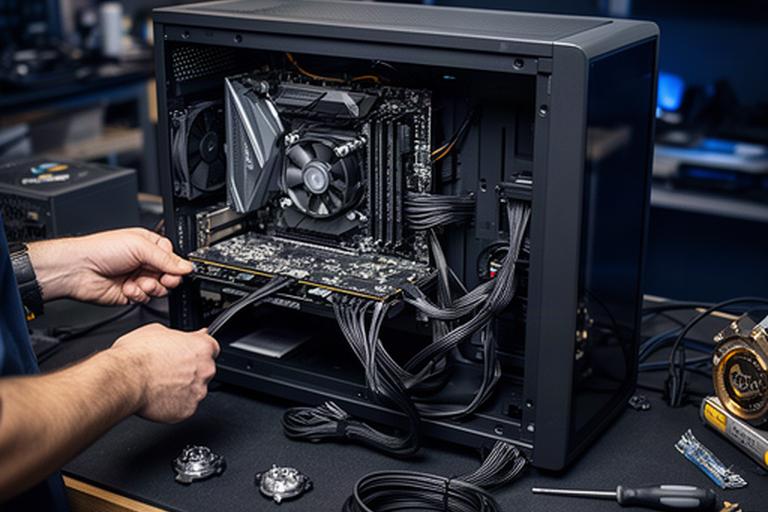
The PC is assembled in Newport, with cable management and build-stage photographs for your record.

Testing and handover

We run stability checks and benchmarks before arranging collection or tracked delivery.

Gaming PC being assembled on a Newport workshop bench with neatly routed cables and components ready for testing

No proprietary parts

Future upgrades stay straightforward.

We specify standard components and record what went into the machine. You can see the part list, understand the choices and plan an upgrade without guessing what is inside.

Before collection or delivery

Tested Before It Leaves, Supported After It Arrives

A PC should arrive ready for you to use, with its build and support details clear.

Checks carried out on the completed system

We validate the parts together rather than relying on a successful first boot as the only check.

  • Thermal soak checks under sustained load.
  • Game benchmarks matched to the intended use where practical.
  • Memory and storage validation before handover.
  • Build specification recorded for future support and upgrades.

Bring your games and monitor details

Book a Build Consultation

Tell us what you play, what screen you use and where your budget sits. We can also talk through upgrades to a PC you already own.

In-person, phone and email consultations are available. Bring your game list, monitor details and a budget range for a focused discussion.