Newman's Gaming Newport PC Gaming
Compact builds from Newport

Mini-ITX gaming PCs that fit real desks

A small machine should fit your room without turning into a slow, noisy compromise. Newman's Gaming plans each compact gaming computer around your graphics card, desk clearance and the games you play.

For bedrooms, university rooms, shared homes and studio flats. Strong 1080p and 1440p performance starts with the right parts and a case that can breathe.

Bring your available width, depth and clearance. We'll plan the case around the space you actually have.
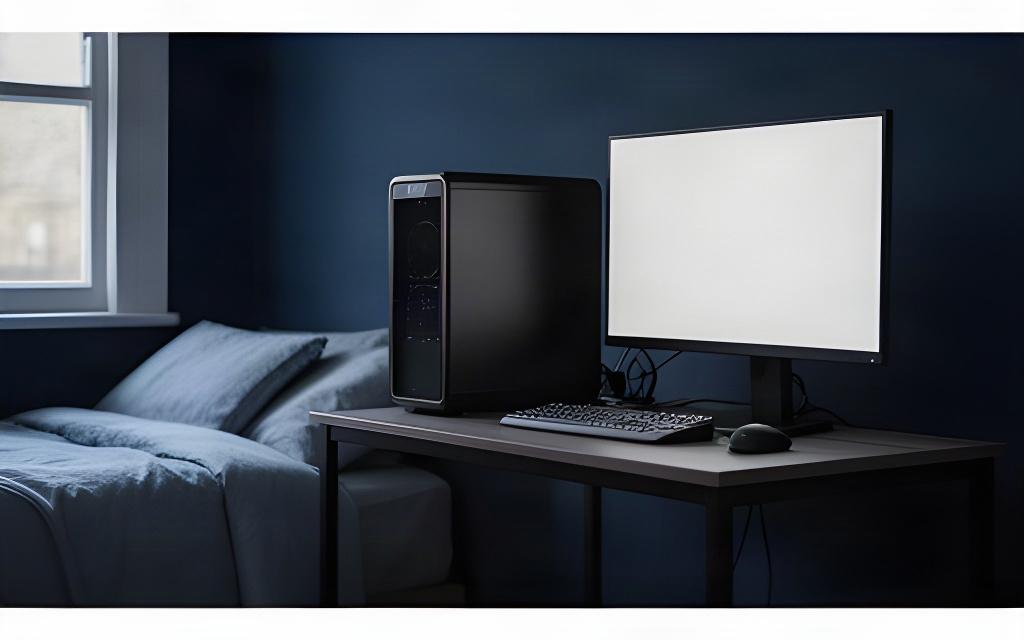
Compact black mini-ITX gaming PC beside a monitor on a small, tidy bedroom desk

Illustrative desk footprint comparison. Exact dimensions depend on the selected case.

Mini-ITX
Compact caseSmaller desk area
Mid-tower
Typical towerMore desk area used
Case selection guide

Choose a case for the space you have

Case volume only tells part of the story. We check the footprint, ventilation panels and the room needed around the machine before settling on a layout.

Smallest footprint

For a tight desk or a shelf with clear space around its sides.

  • Airflow Careful intake planning
  • Graphics card Length checked first
  • Best fit Clear, open placement

Shelves need open intake and exhaust space; a closed cupboard is a poor fit.

Airflow-first compact

A little more room for larger vents and a less restricted cooling path.

  • Airflow Mesh panels prioritised
  • Graphics card Clearance matched to model
  • Best fit Desk-side placement

Leave the vented faces unobstructed, especially when the PC sits beside a wall.

Room to upgrade

A compact case with extra space for easier access and sensible future changes.

  • Airflow More flexible fan layout
  • Cooler Height checked to spec
  • Best fit Upgrade-friendly setup

We confirm graphics card length, cooler height and power-supply format against the chosen case.

There is no single case that fits every graphics card. Share the desk measurements and the parts you want, and we'll check the fit before the build is agreed.

Airflow, planned

Quiet cooling in a small box

A compact case has less room for air to move. We plan intake and exhaust around the CPU cooler, graphics card and ventilation panels instead of adding fans at random.

Low-profile air cooling can suit a tight build. A compact liquid cooler may suit another, if the case supports the radiator and the layout leaves room for the rest of the parts.

Quiet at idle. Sensible under load.

Fan curves are set up for low-noise everyday use, with cooling response adjusted for gaming sessions. In a quiet bedroom, you may still hear fans when demanding games put the GPU to work.

Low-profile air cooler

Useful when cooler height is limited. We check the case maximum and memory clearance before choosing one.

Compact liquid cooler

Can work where a supported radiator mount has room. Case compatibility and tubing clearance come first.

Case fans

Placed to move fresh air through the hot components, with speed set to suit the build rather than a fan-count target.

Fan curve handover

We tune the response for everyday use and explain how it behaves as CPU and GPU temperatures rise.

Noise depends on the selected components, room acoustics and workload. We’ll discuss the trade-off before confirming the parts.
Small-room setups

Built for university rooms and bedroom desks

Plan around the way you use the room. A compact PC can leave more space for books, a second screen or a shared desk.

Room-share desk

Keep the tower footprint contained and place its vents where they can draw air.

  • Measure the desk depth, including monitor stand and cables.
  • Choose a no-lighting or switchable-lighting finish for a calmer room.

University room

Keep the build practical to move between term-time accommodation and home.

  • Check the case size and weight before planning transport.
  • Choose Wi-Fi if a network socket is out of reach.

Bedroom corner

Give the machine breathing room, even when the desk is tucked into a corner.

  • Leave clearance around the case's intake and exhaust panels.
  • Size the SSD around the games you expect to keep installed.

Small-form-factor systems can be moved, but protect the PC and graphics card during transport. We can talk through a sensible packing plan for your chosen build.
Connectivity that suits your room

Wireless, wired or both

A university room or bedroom desk may not have an Ethernet socket nearby. Choose the connection that suits your setup, then check the motherboard's wireless and rear-port options as part of the build.

Select an option to mark your preference. We’ll confirm compatible parts when you configure the PC.

A finish that fits the room

Minimalist black or coordinated white

Choose a restrained black build with lighting switched off, or a white finish planned around the case and available component colours.

Part colours and case availability can affect the final selection and build timing. Any lighting option can be left out or switched off.

Measure first. Build with confidence.

Tell us what your desk can take

Send the available width, depth and clearance around the PC. Newman's Gaming can check the case, graphics card and cooling layout against your measurements before you settle on a compact build.

Available width Desk depth Vent clearance
22 Batchelor Road, Newport, NP19 8GU +44 7457 809958 Email the workshop

Compact builds can be upgraded later within the limits of the chosen case, motherboard and power supply.